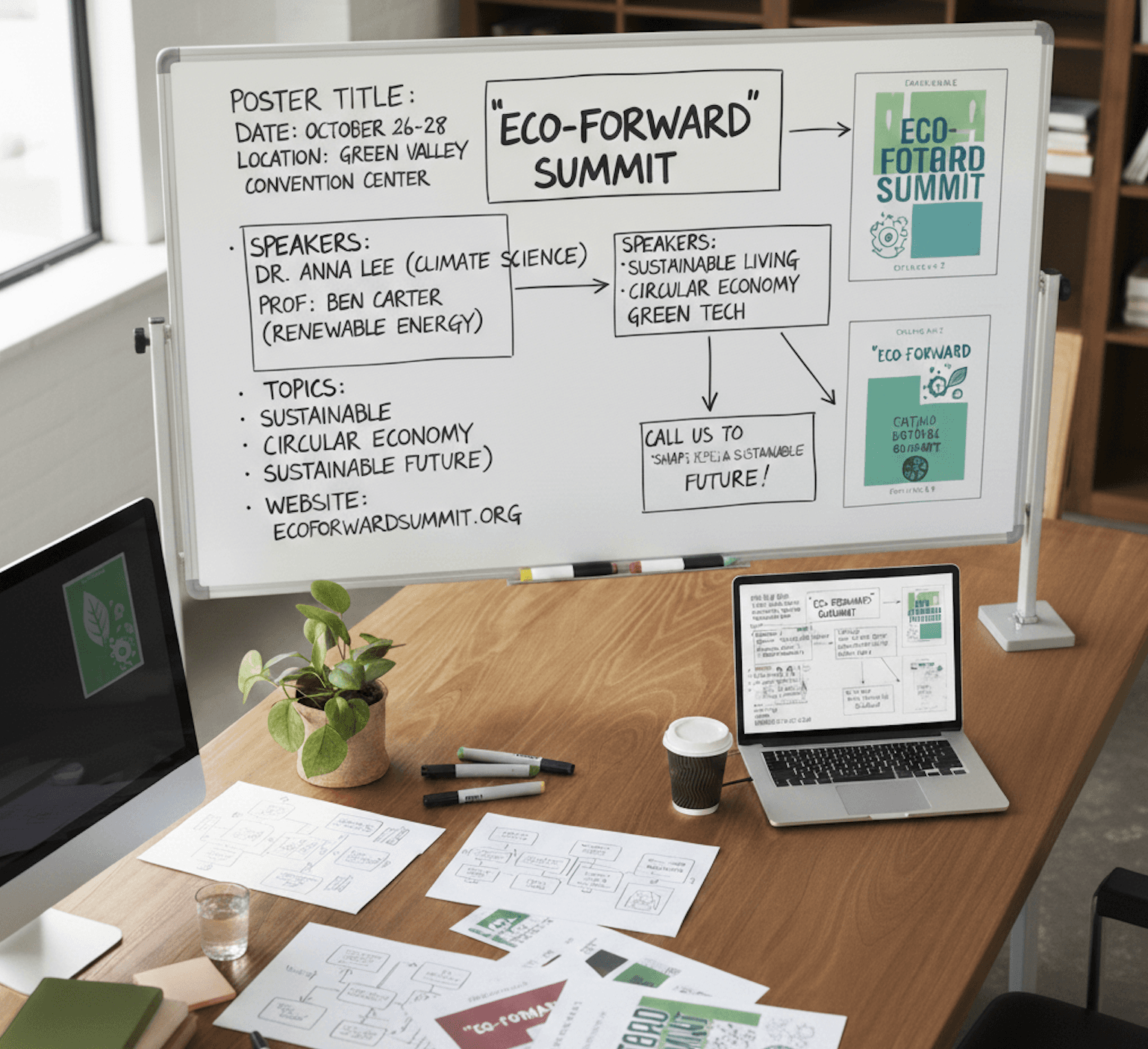
Every design tool in the world asks the same first question: what size canvas do you want?
Then it gives you a blank rectangle and says: go.
Or it asks: which template do you want to start with?
Both starting points have the same fundamental problem. They begin with form before substance. Layout before content. How before what.
This is backwards. And it is the reason so much design output looks interchangeable.
The Template-First Trap
Here is the typical design workflow for most people and most tools:
- Choose a template (or start with a blank canvas)
- Replace the placeholder text with your actual content
- Swap the placeholder image for your image
- Adjust colors to match your brand
- Export
Notice what happened. Every creative decision about layout, hierarchy, spacing, and visual flow was already made in step 1 by whoever designed the template. Steps 2 through 4 are just replacing content within a fixed structure.
The result: your tech startup announcement looks structurally identical to someone else's yoga studio opening. Different content, same container. The visual structure, the part that communicates mood, importance, and flow, was not designed for your content. It was designed for generic content.
What Content-First Means
Content-first design reverses the process:
- Start with your content (the text, the message, the purpose)
- Understand the context (who will see it, where, and why)
- Explore layout directions that serve this specific content
- Choose a direction and develop it
- Refine every element with full creative control
The difference is not subtle. When the content drives the layout, the design serves the message. When the layout comes first, the message conforms to the design.
A real example: imagine you are designing a poster for a jazz night at a small venue. Template-first, you pick a "music event" template and swap in your details. The poster looks like every other event poster because the layout was designed for a generic music event.
Content-first, you start with the information: it is jazz, it is intimate, it is at a small venue, the audience is local, the atmosphere is moody and sophisticated. This context suggests specific layout decisions. Plenty of dark space. Elegant typography. Minimal elements. The poster feels like the event because the design was shaped by the content, not the other way around.
Why Content-First Produces Better Design
1. Hierarchy Comes Naturally
Every piece of content has a natural hierarchy. Some information is critical (the event name, the date). Some is supporting (the venue address, the ticket price). Some is atmospheric (a tagline, a visual mood).
When you start with content, you naturally identify what matters most. The layout emerges from these priorities. The most important information gets the most visual emphasis. The supporting details find their place around it.
When you start with a template, the hierarchy is pre-decided. The template designer made assumptions about what should be large, small, prominent, or subtle. Those assumptions may not match your content's actual priorities.
2. Negative Space Has Purpose
The best designs use empty space intentionally. Negative space creates breathing room, draws attention, and establishes mood. In a content-first approach, negative space appears naturally when you let the content determine how much visual weight the design carries.
A minimal message, like a luxury brand announcement, naturally calls for generous negative space. A dense message, like an event with multiple acts and sponsors, naturally fills more of the canvas. The space distribution reflects the content's character.
Templates pre-determine the space distribution. A template with lots of negative space forces dense content to feel cramped. A template with a full layout makes minimal content feel stretched. The space serves the template, not the message.
3. Typography Responds to Language
Different content calls for different typographic treatment. A single powerful word can be set at massive scale. A nuanced paragraph needs readable body typography. A list of features works best in a structured, scannable format.
Content-first design lets the typography respond to the actual language. Short, punchy copy gets bold, display-level treatment. Longer, nuanced copy gets refined, readable treatment. The typography and the words work together because the typography was chosen for these specific words.
Templates apply typography generically. The placeholder text is always "Your Headline Here" in the same size and weight, regardless of whether the actual headline is two words or twelve.
4. Design Tells a Story
The best design guides the viewer's eye through information in a specific sequence. This is visual storytelling, and it only works when the designer knows the story.
Content-first design naturally creates a viewing sequence because the layout is built around the content's narrative. First you see the main message. Then your eye moves to the supporting context. Then to the call to action. The design leads the viewer through the story the content tells.
Template layouts have a generic viewing sequence designed for generic content. The sequence may or may not align with the story your specific content tells.
The Content-First Workflow in Practice
Here is how to implement content-first design, whether you are a professional designer or a marketing team member:
Step 1: Write the Brief (5 minutes)
Before opening any design tool, answer four questions:
- What: What is this design about? (one sentence)
- Who: Who will see it? (audience description)
- Why: What should they feel and do? (emotional and behavioral goal)
- Where: Where will this appear? (platform, context, format)
Example: "This is a social media announcement for our new AI feature. The audience is current users and design professionals. They should feel excited and curious, and click through to try the feature. It will appear on LinkedIn and X."
Step 2: Establish Content Hierarchy (5 minutes)
List every piece of content that needs to appear in the design. Then rank by importance:
- Primary: Feature name and one-sentence benefit (must be seen first)
- Secondary: Key capability description (supports the primary message)
- Tertiary: CTA to try the feature (the action step)
- Ambient: Brand mark, date (present but not competing for attention)
This ranking directly translates to visual hierarchy. Primary content gets the most visual weight. Tertiary content is present but does not fight the primary message for attention.
Step 3: Explore Layout Directions (10 minutes)
With content and hierarchy established, explore how the content might be arranged. This is where creativity lives, finding the visual structure that best serves this specific message.
You have two paths here:
Manual exploration: Sketch three rough arrangements on paper or in your head. Try a centered composition, an asymmetric composition, and a modular composition. See which one serves the content hierarchy best.
AI-assisted exploration: Use a tool like Lega to generate layout directions based on your content and context. The AI reads your brief, understands the content hierarchy, and produces multiple layout options that respect your priorities. You choose the direction that resonates.
The AI-assisted path is faster and often produces options you would not have considered. But either approach works because you are exploring with your specific content in mind, not browsing generic templates.
Step 4: Develop the Chosen Direction (variable)
Once you have a direction, develop it. This is where element-level decisions happen: exact font sizes, specific colors, precise spacing, image placement and cropping.
In a content-first tool, you have full editing control over every element the AI generated. Move text blocks, change fonts, adjust colors, resize elements. The AI gave you a contextual starting point. The finishing is yours.
Step 5: Evaluate Against the Brief (2 minutes)
Before exporting, check back against step 1:
- Does the design serve the primary message?
- Would the target audience respond positively?
- Does it evoke the intended emotion?
- Is the call to action clear?
- Does it work for the intended platform?
This quick check catches the most common design failures: when a design looks good but does not communicate the intended message.
Content-First and AI: A Natural Fit
Content-first design and AI assistance are naturally complementary.
AI is excellent at understanding content and generating appropriate structural responses. Given text about a jazz event, AI can identify the tone (moody, sophisticated) and suggest layouts that express that tone. Given text about a product launch, AI can identify the emphasis points and create hierarchy accordingly.
What AI cannot do, and should not try to do, is make the creative judgment calls. Which layout direction is best for this specific brand? Which color variant feels right for this audience? Should the typography be restrained or expressive? These are human decisions that require taste, context, and intention.
The ideal content-first AI workflow:
- Human provides content and context
- AI generates layout directions that serve the content
- Human selects a direction based on creative judgment
- AI handles mechanical execution (alignment, spacing, consistency)
- Human refines and makes final creative decisions
This is exactly how Lega works. You start with what the design is about. AI understands the context and generates options. You choose and refine. Full creative control, zero blank canvas time.
Making the Switch
If you are used to template-first or blank-canvas workflows, the switch to content-first feels counterintuitive at first. You may feel like you are "not designing" because you are writing instead of arranging elements.
Give it three projects. By the third, you will notice:
- You spend less time on layout exploration
- Your designs feel more intentional and less generic
- Client or stakeholder feedback is more positive because the design clearly serves the message
- You have more energy for the creative details that make designs memorable
Content-first is not a limitation. It is a liberation from the arbitrary starting points that template-first design forces on you.
Design should start with what you are saying, not what shape the container is. When content drives layout, every design is original because every piece of content is unique. Stop choosing templates and start thinking about your message.